

When Does Your Business Need a Custom Web Application?
Learn when custom web application development makes sense, when off-the-shelf software is better, and how to evaluate cost, scalability and ROI.
Discuss Your ProjectMost businesses do not wake up one morning and decide:
We need a custom web application.
The need usually appears gradually.
A spreadsheet becomes difficult to manage.
Teams start copying data between several systems.
Customers repeatedly ask for functionality your website cannot provide.
Staff spend hours completing processes that could be automated.
Or the software you already use begins forcing the business to work around its limitations.
At that point, custom software can start to look attractive.
But building your own application is a significant investment, and custom is not automatically better.
UK government technology guidance makes the same point: organisations should first understand the technology landscape and consider whether existing solutions can meet the need before deciding to build something bespoke. (Technology Blog)
The real question is:
Does your business have a problem important enough, unique enough and valuable enough to justify building software around it?
This guide will help you answer that.
1. What Is a Custom Web Application?
A custom web application is software built around the specific workflows, users and requirements of a business.
Unlike a standard website, which is usually focused on presenting information and generating enquiries, a web application enables users to perform tasks.
Examples include:
The important word is custom.
Instead of changing your business to fit the software, the application is designed around the way your organisation needs to work.
UK Digital Marketplace descriptions of bespoke web application services commonly emphasise requirements gathering, workflow automation, integrations, data management and user-centred design as core benefits. (Apply to Supply)
2. Start With the Business Problem
Before discussing technology, ask:
What problem are we actually trying to solve?
A custom application should not begin with:
We want an app.
It should begin with something more concrete:
Our team spends 30 hours every week manually moving information between systems.
or:
Customers currently need to email us to complete a process that should be self-service.
or:
The software we use cannot support the approval process our business requires.
The clearer the problem, the easier it becomes to evaluate whether custom software is justified.
3. Sign #1: Your Business Depends on Spreadsheets That Have Become Unmanageable
Spreadsheets are incredibly useful.
They are also often the first version of a future application.
Many businesses initially manage processes through:
This works until the process becomes too complicated.
Warning signs include:
- Multiple versions of the same spreadsheet
- Data being overwritten
- Difficult permissions
- Manual reporting
- Repetitive data entry
- Poor audit trails
- Formula errors
- Files becoming slow or difficult to maintain
If a spreadsheet has effectively become a mission-critical system, a web application may provide a safer and more scalable alternative.
4. Sign #2: Your Team Repeats the Same Manual Process Every Day
Repetition is often one of the strongest indicators that automation may create value.
For example:
A team might:
- Receive a form submission
- Copy the details into a spreadsheet
- Email another department
- Create a task manually
- Update the CRM
- Generate a document
- Send confirmation to the customer
If the same sequence happens hundreds of times, custom software may automate all or part of it.
The UK Digital Marketplace frequently positions custom applications and low-code platforms around process automation, operational efficiency and workflow optimisation. (Apply to Supply)
The question to ask is:
How much time and error could we remove if this process were automated?
5. Sign #3: You’re Using Too Many Disconnected Systems
Businesses often accumulate software over time.
One system handles sales.
Another manages customers.
Another manages invoicing.
Another stores documents.
Another generates reports.
Eventually employees spend significant time moving information between them.
Typical symptoms include:
- Duplicate customer records
- Manual data exports
- Inconsistent reporting
- Repeated logins
- Data mismatches
- Slow processes
A custom web application can sometimes act as a central layer connecting existing systems through APIs rather than replacing everything.
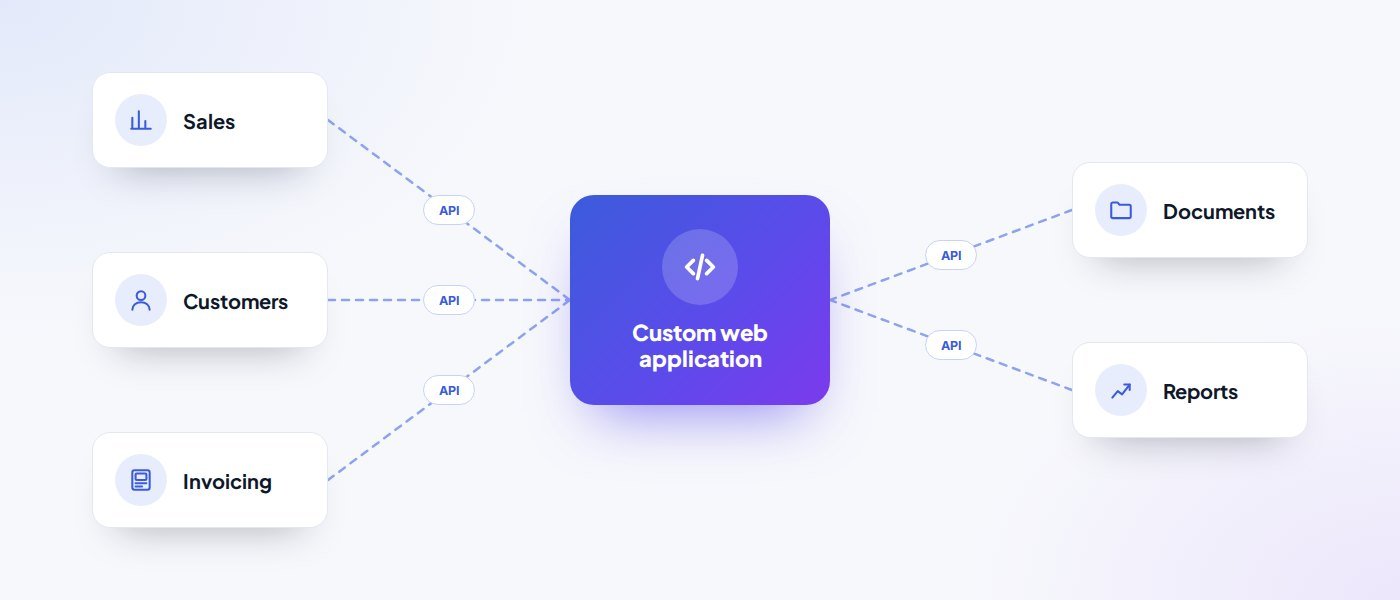
This can be more practical than rebuilding the entire technology stack.
Government guidance similarly recommends understanding existing systems and data sources before choosing or building new technology. (GOV.UK)
6. Sign #4: Off-the-Shelf Software Almost Works — But Not Quite
This is one of the most common situations.
You find software that handles 80% of what you need.
But the remaining 20% contains the processes that make your business different.
You then start creating workarounds:
- Additional spreadsheets
- Manual approvals
- Custom reports
- Zapier automations
- Email processes
- Duplicate data entry
At some point, the workaround becomes more expensive than the original software limitation.
Clutch’s current custom-software decision guidance suggests that commercial software can be the right choice when it meets most requirements, while bespoke solutions become more appropriate where unique workflows, regulated data or complex integrations require a closer fit. (Clutch)
7. Sign #5: Your Customers Need a Better Self-Service Experience
Custom applications are not only for internal teams.
They can also improve customer experience.
Examples include:
Customer portals
Customers can:
- View orders
- Download documents
- Manage details
- Track progress
Booking systems
Users can book appointments or services directly.
Account dashboards
Customers can access data or reports.
Membership platforms
Users can manage subscriptions, resources and permissions.
A strong self-service system can reduce support workload while giving customers faster access to what they need.
8. Sign #6: Your Business Has Unique Workflows
Sometimes the business process itself is the competitive advantage.
For example:
If your workflow is genuinely different, forcing it into generic software may create friction.
Custom software allows the application to reflect the process rather than forcing the process to reflect the application.
Bespoke application suppliers on the UK Digital Marketplace consistently highlight alignment with business requirements and workflows as a core benefit. (Apply to Supply)
9. Sign #7: You Need Better Reporting and Visibility
Businesses often have plenty of data but very little visibility.
Information may exist across:
A custom dashboard can bring important information into one place.
For example:
Custom applications can also improve how businesses collect and use operational data for decision-making. (Apply to Supply)
10. Sign #8: Your Existing Software Cannot Scale With the Business
A solution may work perfectly at:
10 employees
but fail at:
100 employees.
Common scalability problems include:
- Slow performance
- Limited permissions
- Restricted integrations
- Data limits
- Manual administration
- Difficult reporting
If the software is already causing problems before the next stage of growth, it may become a larger constraint later.
Custom applications can be designed around expected future growth rather than only today’s requirements.
11. Sign #9: Software Licensing Costs Are Becoming Significant
Commercial SaaS tools often charge:
- Per user
- Per feature
- Per transaction
- Per data volume
That may be entirely reasonable.
But as the business grows, recurring costs can become substantial.
Imagine:
£80/user/month × 100 users
That is:
£96,000 per year.
This does not automatically mean custom software will be cheaper.
Custom software also has:
- Development cost
- Hosting
- Maintenance
- Support
- Security
- Continuous improvement
But once recurring SaaS costs become significant, it can be worth comparing total cost of ownership over several years.
12. Sign #10: Your Software Is Limiting Innovation
Sometimes the issue is not efficiency.
It is opportunity.
Perhaps you want to introduce:
But your current software cannot support them.
Custom development can enable business models or customer experiences that standard tools cannot easily provide.
That is where software shifts from:
operational tool
to:
strategic capability.
13. When You Probably Do NOT Need Custom Software
This is just as important.
You probably should not build bespoke software if:
| If… | Why it matters |
|---|---|
| A good existing solution already exists | Building something from scratch can be unnecessarily expensive. |
| Your process is not yet stable | Automating a bad process simply produces a faster bad process. |
| The requirements are unclear | If nobody agrees on what the system needs to do, development becomes risky. |
| The business case is weak | The application should solve a meaningful problem. |
| You lack budget for ongoing support | Software needs maintenance after launch. |
Government guidance explicitly warns against assuming organisational needs are unique when existing technology may already solve them more economically. (Technology Blog)
Custom software should be a business decision, not a vanity project.
14. Custom Software vs Off-the-Shelf Software
A useful comparison:
| Area | Off-the-Shelf | Custom |
|---|---|---|
| Initial cost | Usually lower | Usually higher |
| Launch speed | Faster | Slower |
| Flexibility | Limited | High |
| Custom workflows | Limited | Strong |
| Integrations | Depends on vendor | Can be tailored |
| Maintenance | Vendor handles much of it | Your responsibility |
| Ownership/control | Limited | Greater |
| Scalability | Vendor-defined | Designed around needs |
Neither option is automatically better.
The right choice depends on the problem.
15. Consider Configuration Before Custom Development
There is an important middle ground.
You may not need:
completely custom software.
Sometimes the right solution is:
Microsoft Power Platform and similar tools are increasingly used for rapid business-process automation and internal applications without requiring every system to be built from scratch. (Apply to Supply)
This can reduce:
- Cost
- Time
- Risk
The objective should be to solve the problem efficiently, not maximise custom code.
16. Start With a Prototype
If the idea is new or uncertain, do not necessarily build everything at once.
UK government guidance on developing new products recommends validating demand early and creating prototypes as cheaply and quickly as practical before committing larger amounts of time and money. (GOV.UK)
A prototype can test:
- User journey
- Workflow
- Interface
- Business logic
- Customer demand
This reduces the risk of spending months building something nobody actually needs.
17. Define the Minimum Viable Product
An MVP is the smallest useful version of the application that proves the idea.
For example:
A complete platform might eventually include:
- User accounts
- Payments
- Messaging
- Reporting
- Mobile apps
- Integrations
- Automation
The MVP may only need:
- Account creation
- Core workflow
- Basic dashboard
The goal is:
Prove the important part first.
Then expand based on real usage.
18. Design Around Users, Not Internal Assumptions
Custom does not automatically mean usable.
Before development, understand:
- Who uses the application
- What tasks they perform
- How often
- What devices they use
- What frustrates them
User experience matters just as much for internal systems as customer-facing platforms.
If employees hate using the application, adoption will suffer.
UK bespoke-development guidance frequently includes UX/UI design and user-centred interfaces as part of the development process. (Apply to Supply)
19. Integrations Need Early Planning
A web application rarely exists alone.
It may need to connect to:
Integrations should be identified early because they can significantly affect architecture, budget and timeline.
Questions include:
- Does the other system provide an API?
- What data is available?
- How often should it synchronise?
- Who owns the integration?
- What happens if the API fails?
20. Data Ownership Matters
Understand:
- Where data is stored
- Who controls it
- How it is backed up
- How it can be exported
- Who can access it
UK government technology guidance specifically recommends maintaining control of stored data when choosing technology. (GOV.UK)
This becomes particularly important when the application contains commercially sensitive or personal information.
21. Security Should Be Designed In
Security should not be an afterthought.
Depending on the application, considerations may include:
- Authentication
- Role-based permissions
- Encryption
- Secure APIs
- Audit logs
- Backups
- Vulnerability management
- Data protection
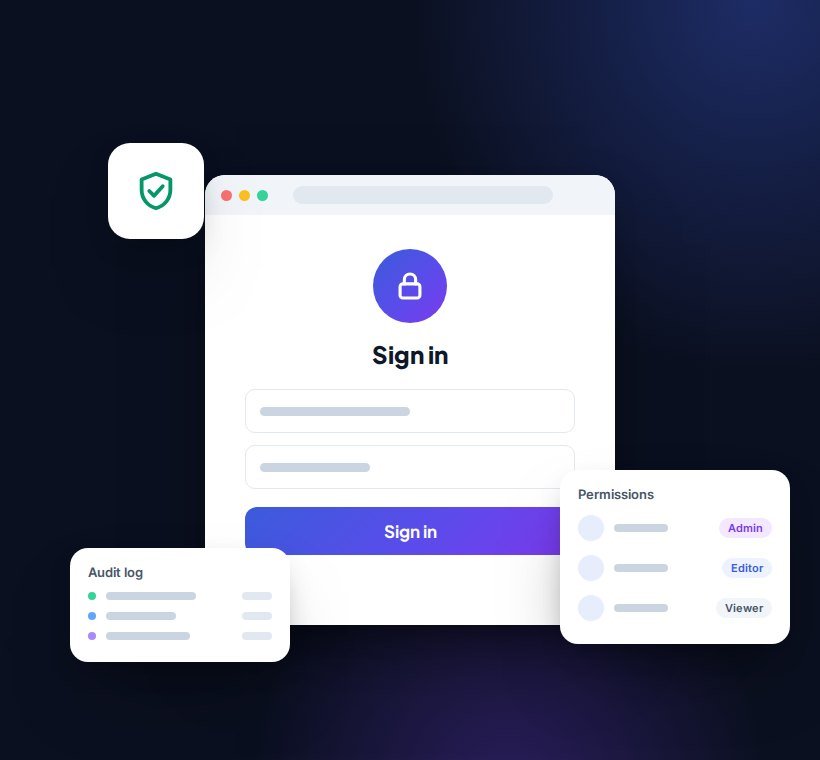
The more sensitive the information and the more important the application, the more important security becomes.
22. Think About Maintenance Before Launch
Software is never truly finished.
After launch you may need:
- Bug fixes
- Security updates
- Browser compatibility updates
- Infrastructure upgrades
- Feature improvements
- User support
Government software guidance recommends frequent, controlled updates because regular deployment supports resilience, feedback and security. (GOV.UK)
Your budget should therefore consider:
build + operate + improve
not simply:
build.
23. What Does Custom Web Application Development Cost?
There is no useful universal price.
Cost depends heavily on:
A simple internal tool may be relatively contained.
A complex SaaS platform can become a substantial product-development programme.
That is why requirements discovery is important before committing to a fixed scope.
24. How to Build the Business Case
Before approving custom development, estimate:
Then compare those benefits against:
- Development
- Hosting
- Support
- Maintenance
- Internal change
The decision should make commercial sense.
25. A Simple Example
Imagine a business has:
10 employees
Each spends:
5 hours/week
manually processing orders.
That’s:
50 hours per week
or roughly:
2,600 hours per year.
If a custom system reduces that by 70%, the business could save around:
1,820 hours annually.
That gives the software project a measurable operational value.
This is the kind of calculation worth doing before development begins.
26. Questions to Ask Before Building
Before commissioning a web application, answer:
- What business problem are we solving?
- Who will use the application?
- What does the core workflow look like?
- Could an existing product solve the problem?
- What systems must it integrate with?
- What data will it contain?
- What is the minimum viable version?
- How will success be measured?
- Who will maintain it?
- What happens as the business grows?
If those answers are unclear, discovery should come before development.
27. What the Development Process Should Look Like
A typical project may follow:
This closely reflects the requirements → design → development/testing → deployment/support lifecycle described in UK bespoke web application services. (Apply to Supply)
28. Common Custom Software Mistakes
| Mistake | What to remember |
|---|---|
| Building too much too early | Start with the core value. |
| Automating a broken process | Fix the workflow first. |
| Ignoring users | Software needs adoption. |
| Poor requirements | Ambiguity creates cost and delay. |
| Underestimating integrations | External systems can add significant complexity. |
| Treating launch as the finish line | Applications need support and evolution. |
| Choosing technology before defining the problem | The business need should drive the technology. |
Custom Web Application Checklist
Custom development may be worth exploring if:
- Your existing software is limiting the business
- Teams depend heavily on manual workflows
- Spreadsheets have become mission-critical
- Several systems need to work together
- Customers need self-service functionality
- You have genuinely unique processes
- Operational errors are costly
- You need better reporting
- Existing SaaS costs are becoming significant
- The application could create new revenue
- The problem has clear measurable value
If only one minor inconvenience exists, custom software may be unnecessary.
If several of these conditions apply, it may be worth investigating.
Conclusion
Custom software is not the right answer for every business problem.
Often, existing SaaS platforms, integrations or low-code tools will solve the problem faster and more economically.
But when your business has:
- Unique workflows
- Significant manual processes
- Complex integrations
- Growing operational friction
- Valuable opportunities standard tools cannot support
a custom web application can become more than software.
It can become business infrastructure.
The smartest approach is to start with the problem, validate the need and build only what creates meaningful value.